
SoterAI App Overview
SoterAI is a Progressive Web App (PWA) — a modern approach that delivers a native app experience directly through your browser, without requiring a traditional download from the App Store or Google Play.
You can add it to your phone's home screen, open it full-screen, and use it exactly like an app. The difference is under the hood — and for good reason.
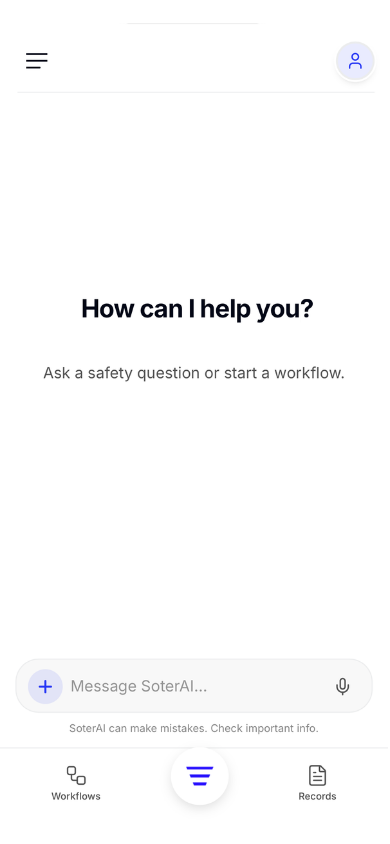
Why we built it as a PWA
Native apps on iOS and Android impose strict review cycles, versioning constraints, and distribution overhead. For a platform like SoterAI — where safety intelligence, workflows, and compliance content evolve constantly — that friction directly slows down how fast you can benefit from improvements.
By building SoterAI as a PWA, we maintain a single, unified platform that works across every device while keeping full flexibility to ship updates the moment they're ready.
One codebase, every device
Every improvement we ship reaches you immediately — no app store review, no manual update required.
Always up to date
New features and safety intelligence updates are live the moment we deploy them. You're never stuck on an older version.
Install once, use anywhere
Pin SoterAI to your home screen and open it just like a native app — fast, full-screen, no address bar.
Install SoterAI on your phone
Adding SoterAI to your home screen takes under a minute. There are slightly different steps depending on whether you use an iPhone or Android device.
What's available on mobile
Most of SoterAI works fully on mobile. A small number of screens are desktop-only to keep the mobile experience focused and fast.
Chat
Records
Create Actions
Create actions directly from ChatWorkflows
Data Sources
The AI can access and reference your data sources
Risk Intelligence
The AI can access and reference risk intelligence data
Actions screen
You can still create actions from ChatSetting up Connectors
Set up connectors on the web version — once configured, they work in the appData Sources screen
Manageable on desktop; the AI can still reference them
Risk Intelligence screen
Manageable on desktop; the AI can still reference them
Workflow Library
Add workflows to My Workflows on desktop — they'll appear on mobile
Document Editor
Was this article helpful?